Meet Take Flight Ops
Flight schools, flying clubs and maintenance shops. Scheduling, dispatch, maintenance, training records and billing in one system — with the regulations enforced as you work, not written up afterwards.
What do you run?
How many aircraft?
Who does your maintenance?
Do you train under Part 141?
Who it's for
One system of record across a school, a club or a shop. A mechanic, an owner, a chief pilot, an instructor and a student each see the part they answer for — and not the rest of it.
Rates, locations, integrations and billing stay with management.
Scheduling and dispatch
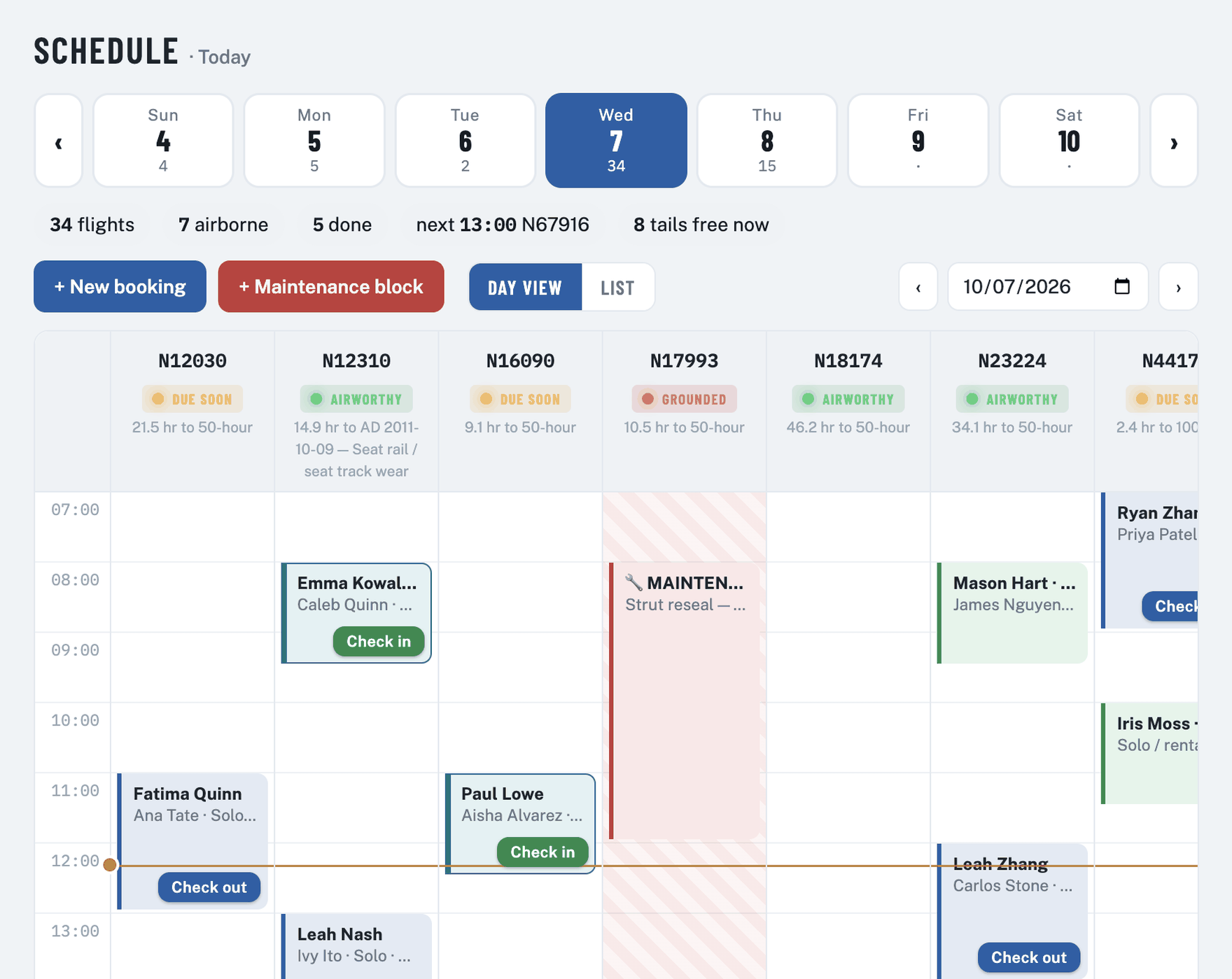
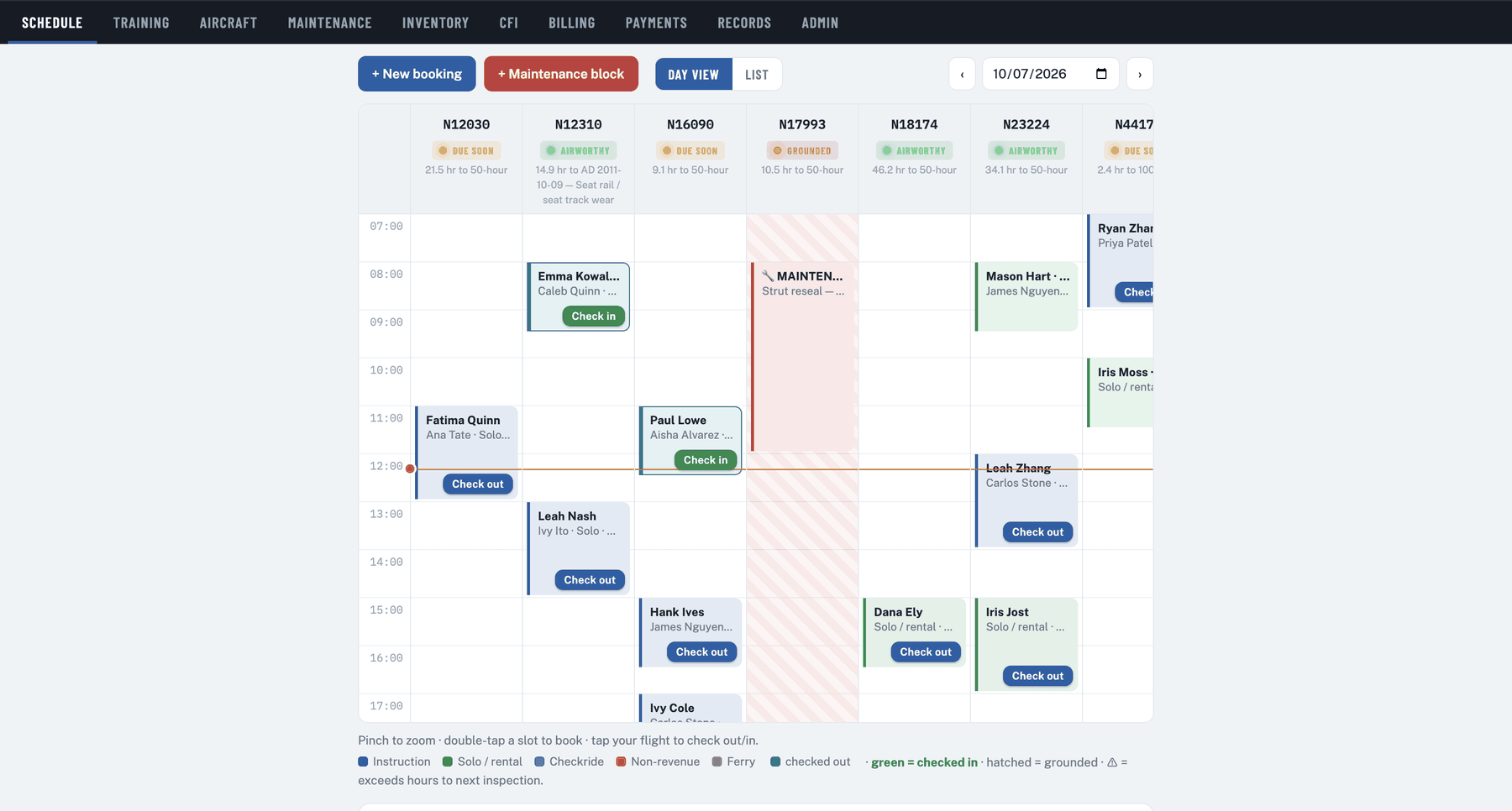
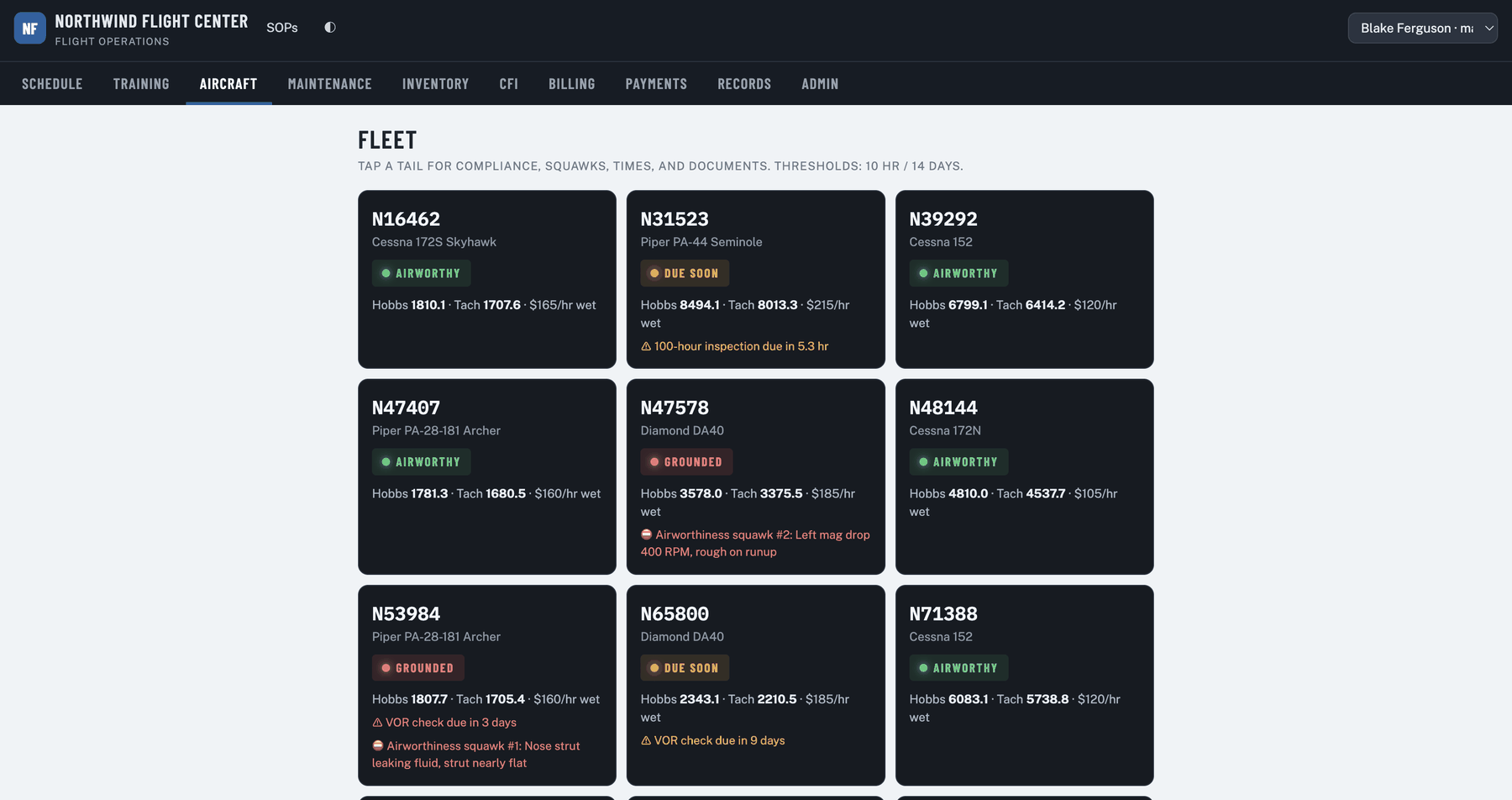
Every tail on one screen: what is booked, what is airborne, what is running late, and what the shop has taken.
A shop block appears alongside the flights and holds the bookings underneath it rather than cancelling them. If the work finishes early, the people affected are told and the flight goes.
Booking a tail that is already taken suggests a comparable aircraft — same make, same panel, same rating — that is genuinely free at that hour.
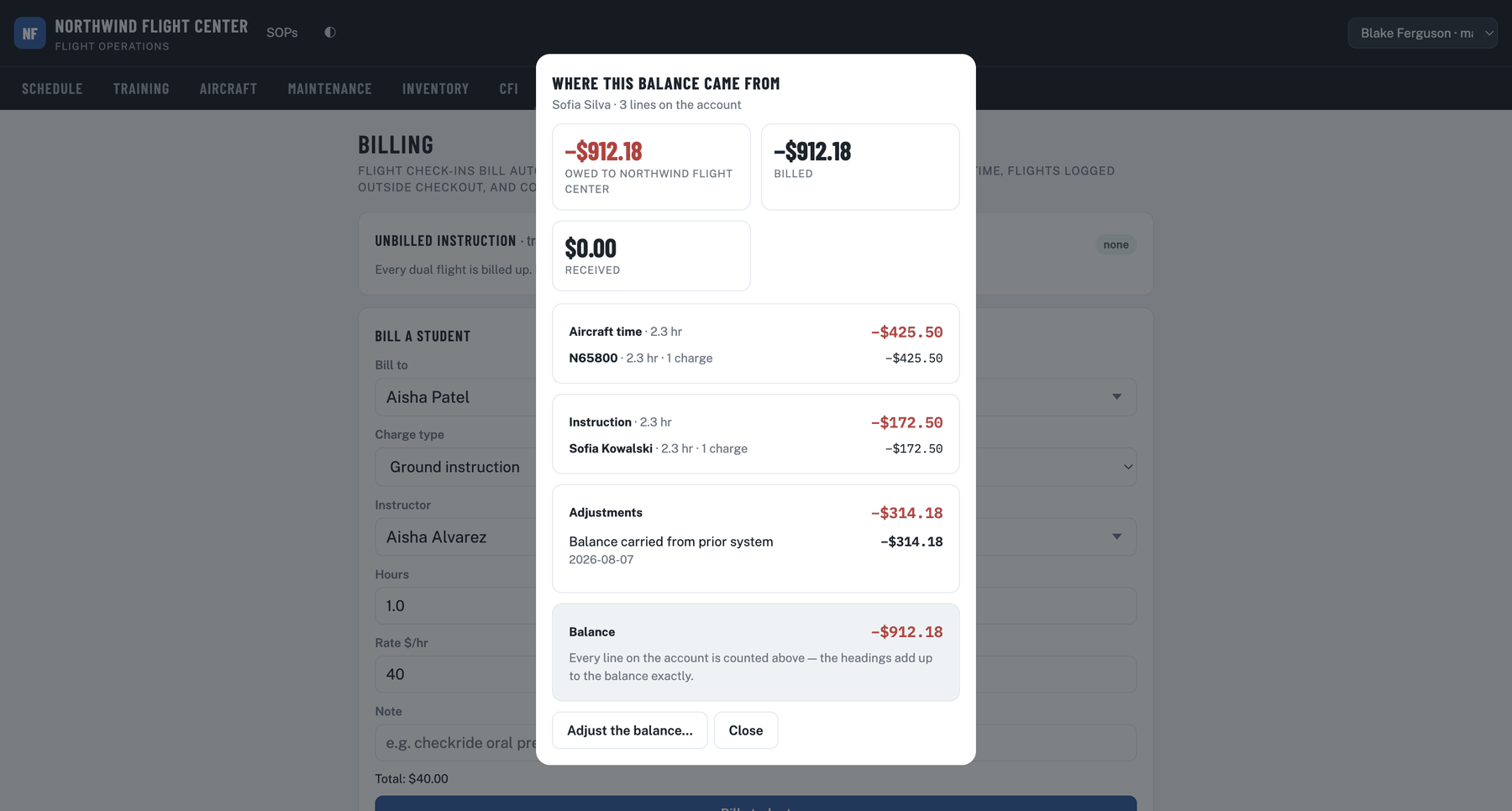
The Hobbs recorded at check-in becomes the maintenance clock, the student's charge and the instructor's pay. Entered at the aircraft, not typed again at a desk.

Maintenance shops
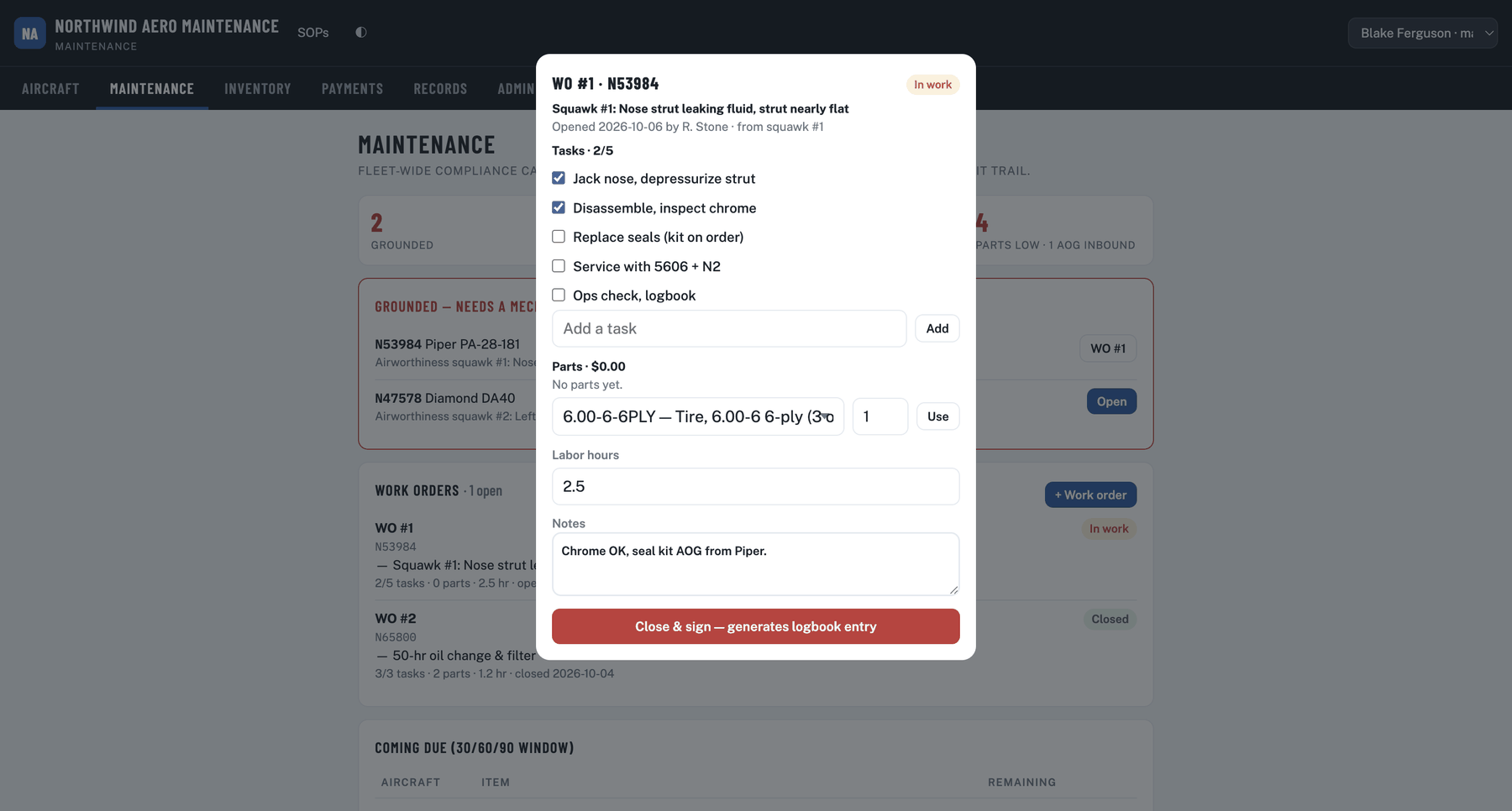
A shop has no fixed fleet. It works on whatever rolls through the door — including aircraft that belong to somebody else's school.
A school with its own shop runs both halves in one system: the mechanic closes the work order and the aircraft becomes dispatchable the moment it is airworthy — no phone call, no whiteboard.
Private operators
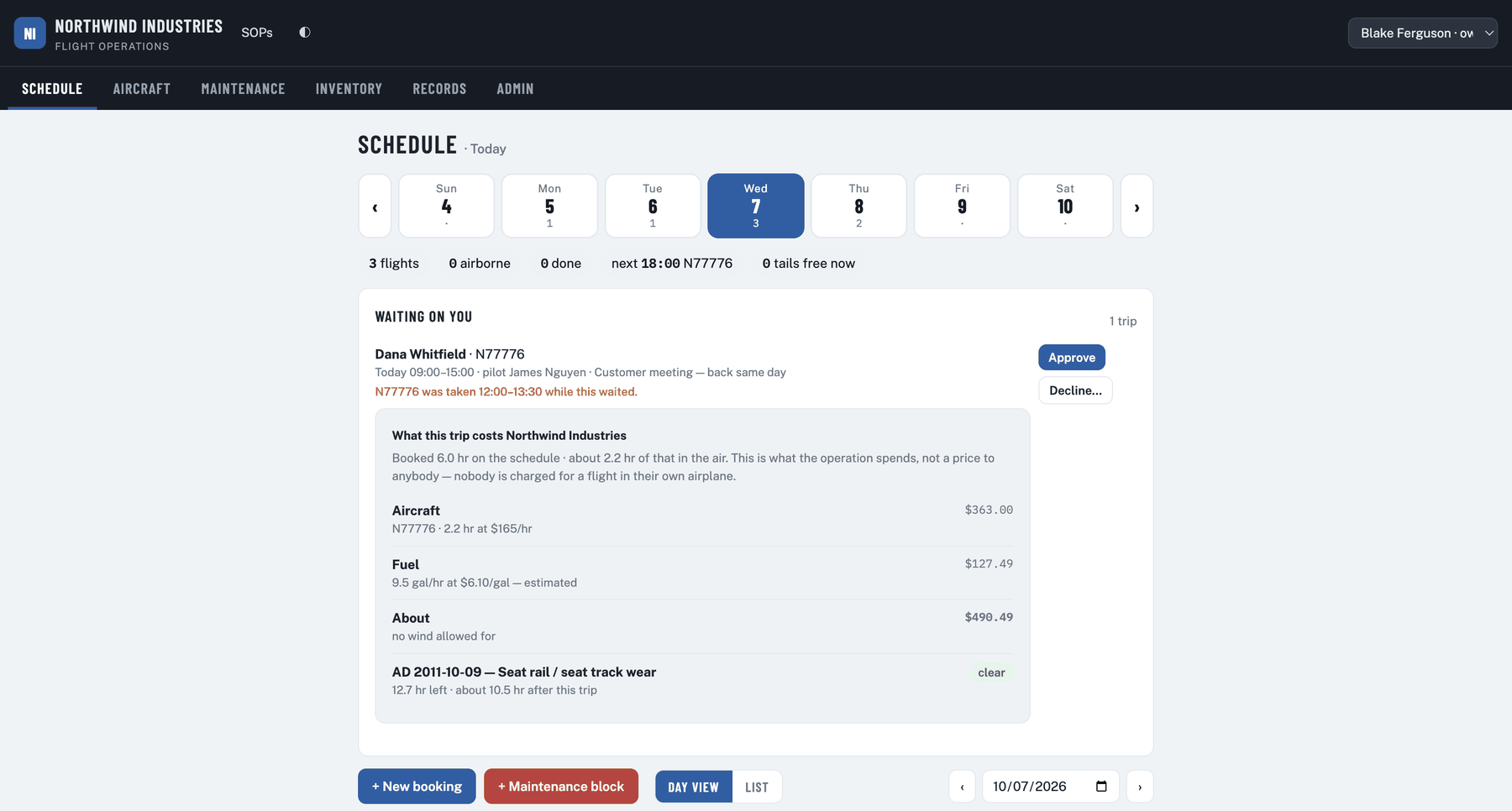
A company with one airplane and ten people who need it. There are no students, nobody is charged for the hour, and the aircraft belongs to the people flying it — so the parts of a flight school that exist to bill somebody are simply not there.
Billing can be switched off entirely. The hours, the inspections and the aircraft record all still run — there is simply no money in it, because for a Part 91 operator there is not supposed to be.
Compliance
Recordkeeping is expected. Stopping the mistake before it happens is the part that matters.
A student in a 141 course is not offered a non-141 aircraft at booking, and is refused at dispatch. A new tail can be staged as pending FSDO approval so nobody uses it early.14 CFR 141
An instructor whose TSA security awareness training has lapsed cannot be scheduled with a student until a current record is on file.49 CFR 1552.23
Training cannot begin before verification, and the record is retained five years without anyone remembering to.49 CFR 1552
A grounded aircraft, or one inside a maintenance window, does not leave without a recorded and permanent override.14 CFR 91.405
Signatures bind to record content and void if the record is unlocked. Every change is logged with who, when, and the value before. A compliance statement is provided for your FSDO in support of Training Specification A025.AC 120-78B

Every flight, cancellation, and checkride — filterable by pilot or tail, and exportable for inspection.
What's new
Shipped to every customer as it was finished. Nothing here is on a roadmap — it is all in the software now.
Pricing
Pick the tier by what you are responsible for, not by how many aircraft you have. A two-aircraft school doing its own maintenance belongs on Operations. If nobody is paying you to fly — it is your airplane, or your company's — the Part 91 rates below the table are the ones that apply, and they carry no minimum.
Flight school pricing tiers
| Fleet | Essentials | Operations | Academy |
|---|---|---|---|
| 2 aircraft | $48 | $100 | $500 |
| 4 aircraft | $48 | $100 | $500 |
| 10 aircraft | $120 | $250 | $500 |
| 30 aircraft | $360 | $750 | $1,500 |
Part 91 pricing
Maintenance shop pricing
A team of certificated flight instructors who work in flight operations and got tired of watching schools and shops run on whiteboards, spreadsheets, and software that treated the aircraft as an afterthought. When you call about something that isn't working, you're talking to people who fly.
Not a sample account with invented aircraft — your own operation, running free for sixty days.
No card needed to start. We won't add you to a mailing list, and nobody calls unless you ask.
We read everything and reply from a real address.
Or write to ops@takeflightops.com directly.